
Printable reports
Eight sheets the app builds from what you've already recorded: an inventory of the collection, a year in review, a valuation schedule for an insurer, a profile to show a tree off, a job sheet for you or whoever waters while you're away, a repot plan, a plan for winter, and a list of records that need filling in.
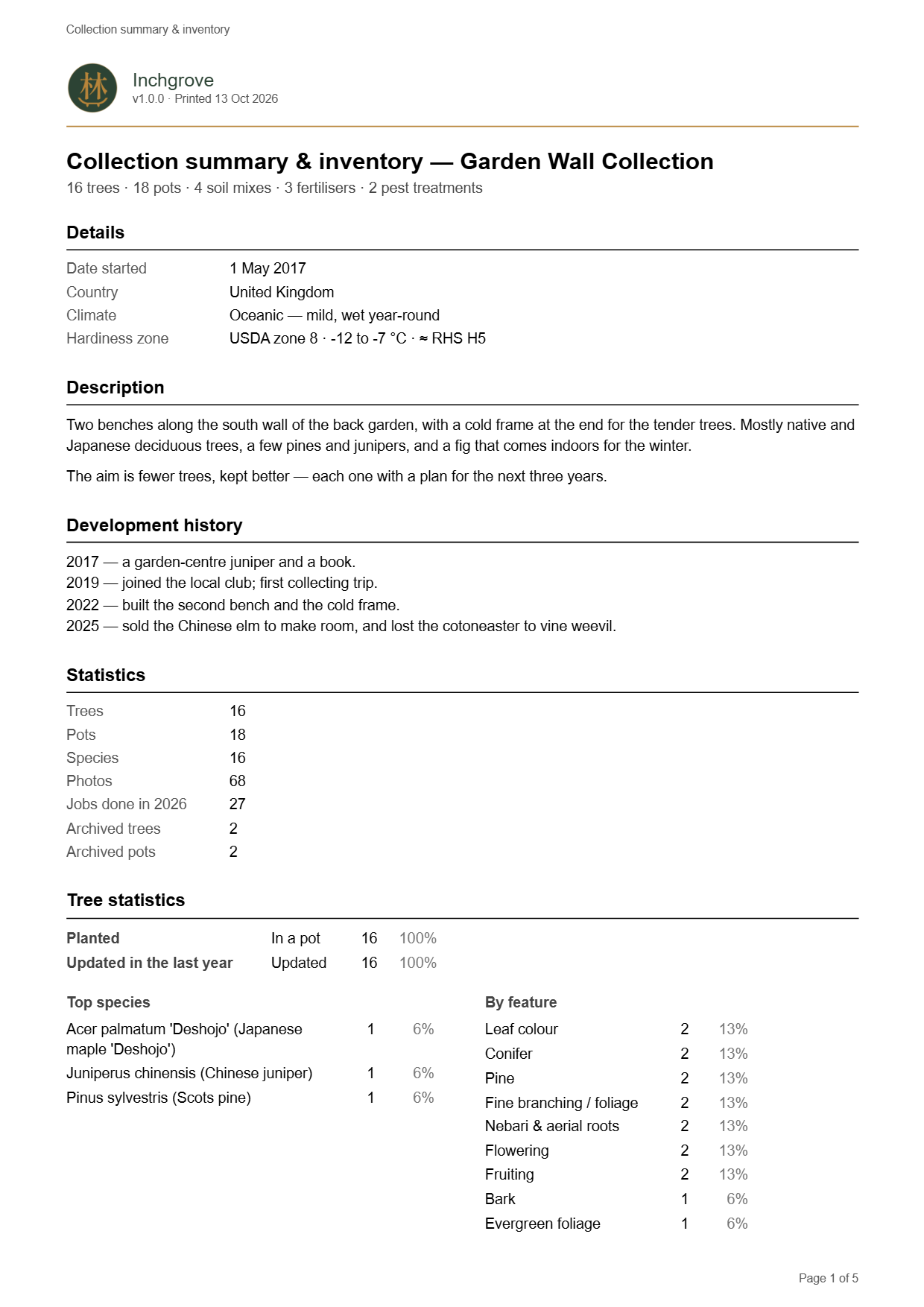
Collection summary and inventory
The whole collection on one sheet. It carries your own account of the collection (what's grown here, how the benches are laid out, how it got to this point) beside the same summary tiles and breakdowns the statistics screen shows, a tree list, a pot list, and a list each of your soil mixes, fertilisers and pest treatments. Tick the sections you want, so an inventory can print on its own.
Neither list is filtered, so every tree and pot appears. The tree list names each tree's pot and carries its latest measured height under its size class, its stage under its style, and where it came from under the date you got it. The pot list names each pot's tree, so it also tells you which pots are sitting empty. There are no prices on it, because this is the sheet that tends to get left with other people. What things are worth is the valuation schedule's job.
Year in review
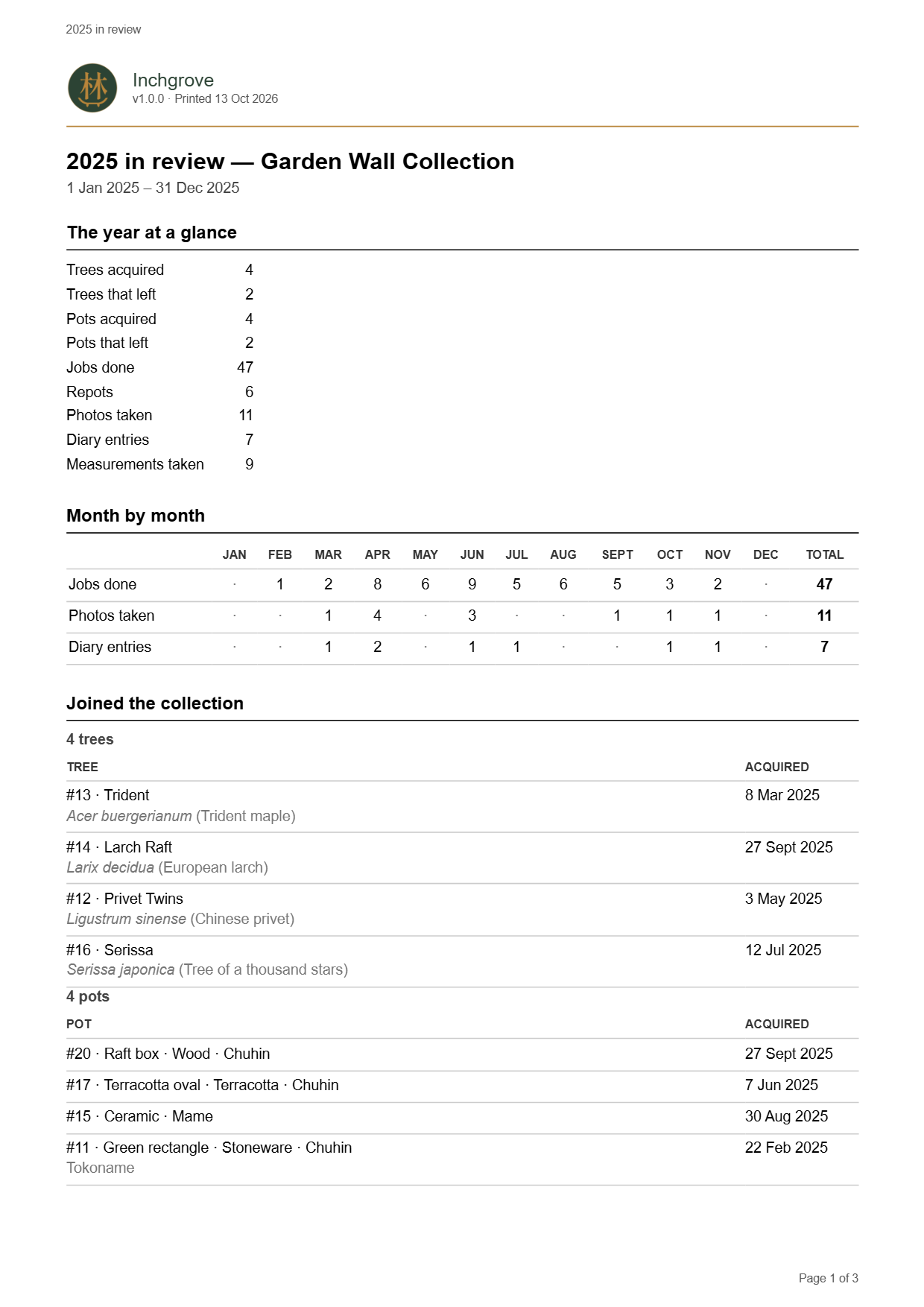
One calendar year: how busy each month was, the trees and pots that joined, what left and why (with how long you'd had it), the work done by job type with the trees you repotted named, and how much each trunk grew. Pick the year from the ones your records cover. The year you're in runs up to today and says so, and the months still to come are left blank rather than looking like months when nothing got done.
Every figure comes from a dated record, so a tree with no acquired date can't be said to have joined in any year. The sheet tells you how many that leaves out. What the newcomers cost prints only if you tick it, and the tick starts off each time.
Valuation schedule
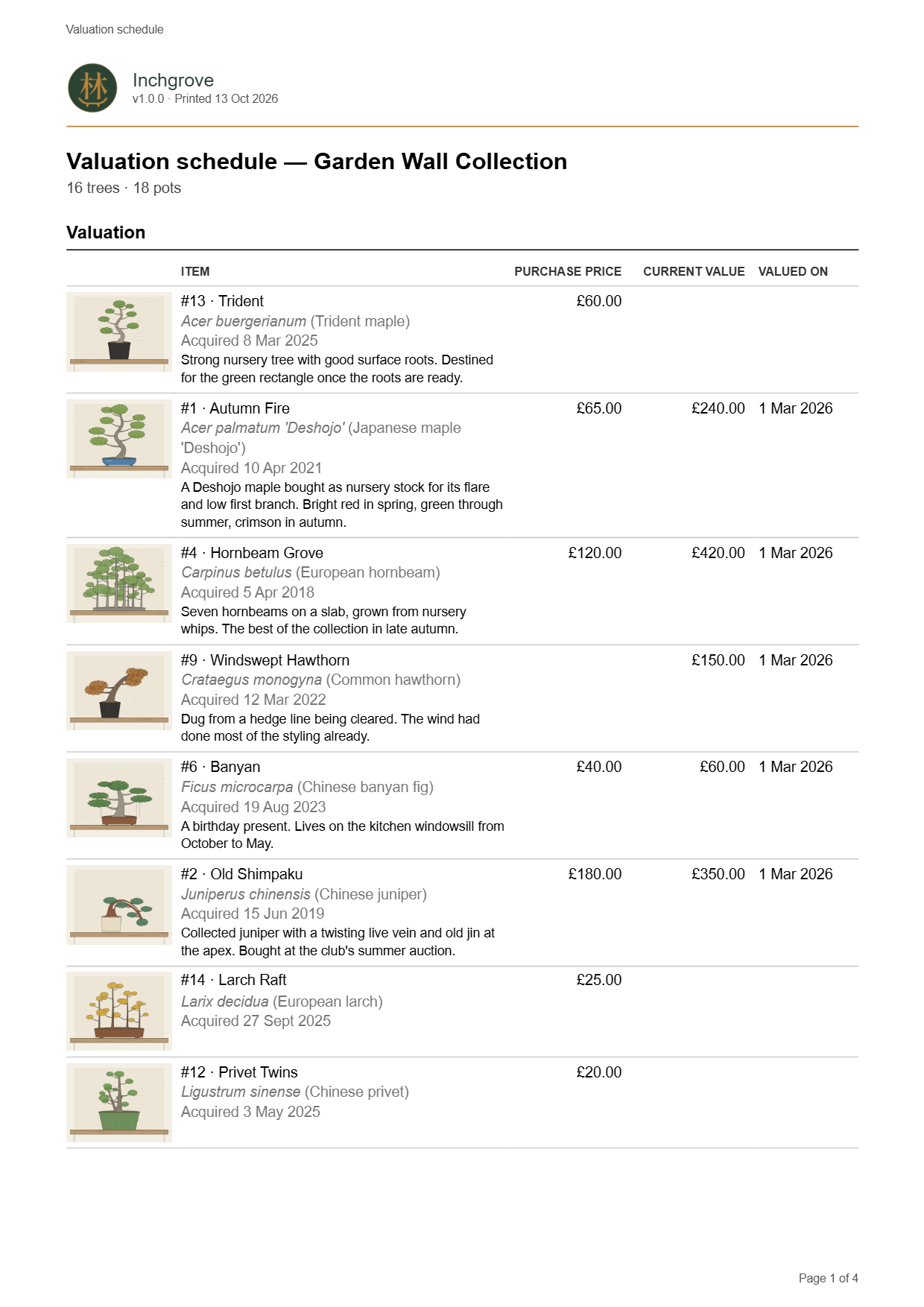
For an insurer or a valuer. Every tree and pot still in the collection that has a price or a value, each with a photo to identify it, its acquired date and the start of its description, over the totals. Then comes a line saying the figures are your own, and space to sign and date. A pot set's line gives the whole set's figure with the per-pot figure under it.
Pots and photos are both ticks, and leaving the pots out takes them out of the totals too, so the foot always adds up to the lines above it. The sheet needs the collection's currency, because a sum without one is no use to an insurer, and the app asks for it if it isn't set.
Tree profile and progression
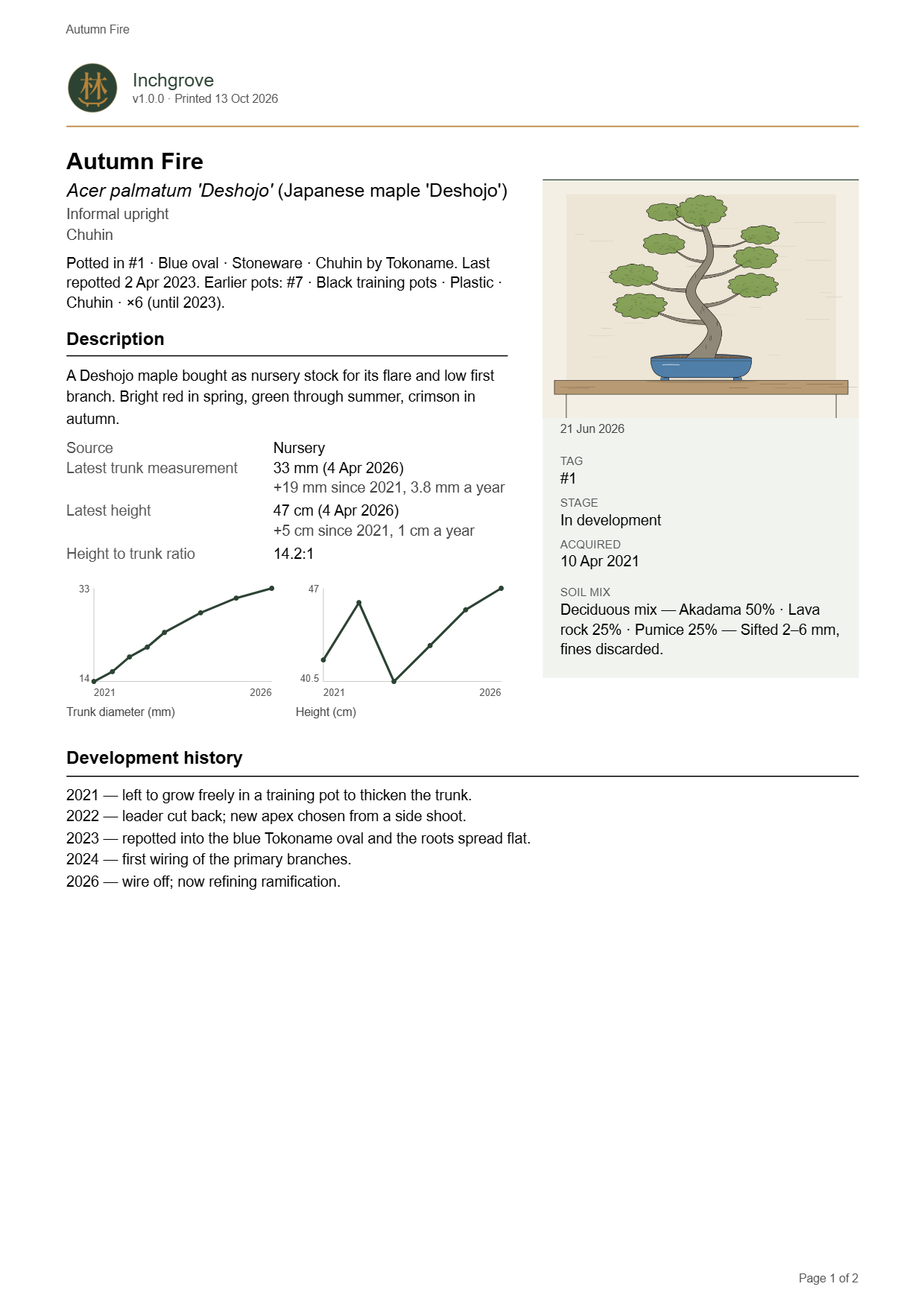
One tree, on paper. The first page is the record: species, stage, style, when you got it and where it came from, the pot it's in and the pots it was in before, the soil it was last potted in, your custom fields, and its latest trunk diameter and height, each with its date. Under each figure is how much it has changed since the first reading, and how much a year once the readings cover a year, with a trunk plot and a height plot side by side. Then comes its development history, and last a dated grid of photographs across the years.
Each photo in the grid carries its date, the height measured around then, its tag and caption, the repotting, pruning, wiring and carving done since the previous photo you chose, and the diary entries from those weeks. The purchase price and value print only when you tick them, and the tick is off each time you open the screen, because a profile is the sheet that gets handed to a buyer or pinned up at a club show.
You choose the photographs. The app pre-picks one per year near the tree's anniversary, favouring shots tagged the same way as the hero (or “Front”) and using a close-up only in a year that has nothing else, and you untick whatever doesn't belong. Once you've saved a sheet, that device remembers which photos it used, so next year's profile starts from last year's choices plus a pick for the new year.
Job sheet
Every open job, for the trees and for the collection, due in the next two weeks, month or three months, plus anything overdue, as a checklist in date order. Each job carries its planned feed, mix or treatment and the job's own notes. A repeating job appears on each day it falls due in the period.
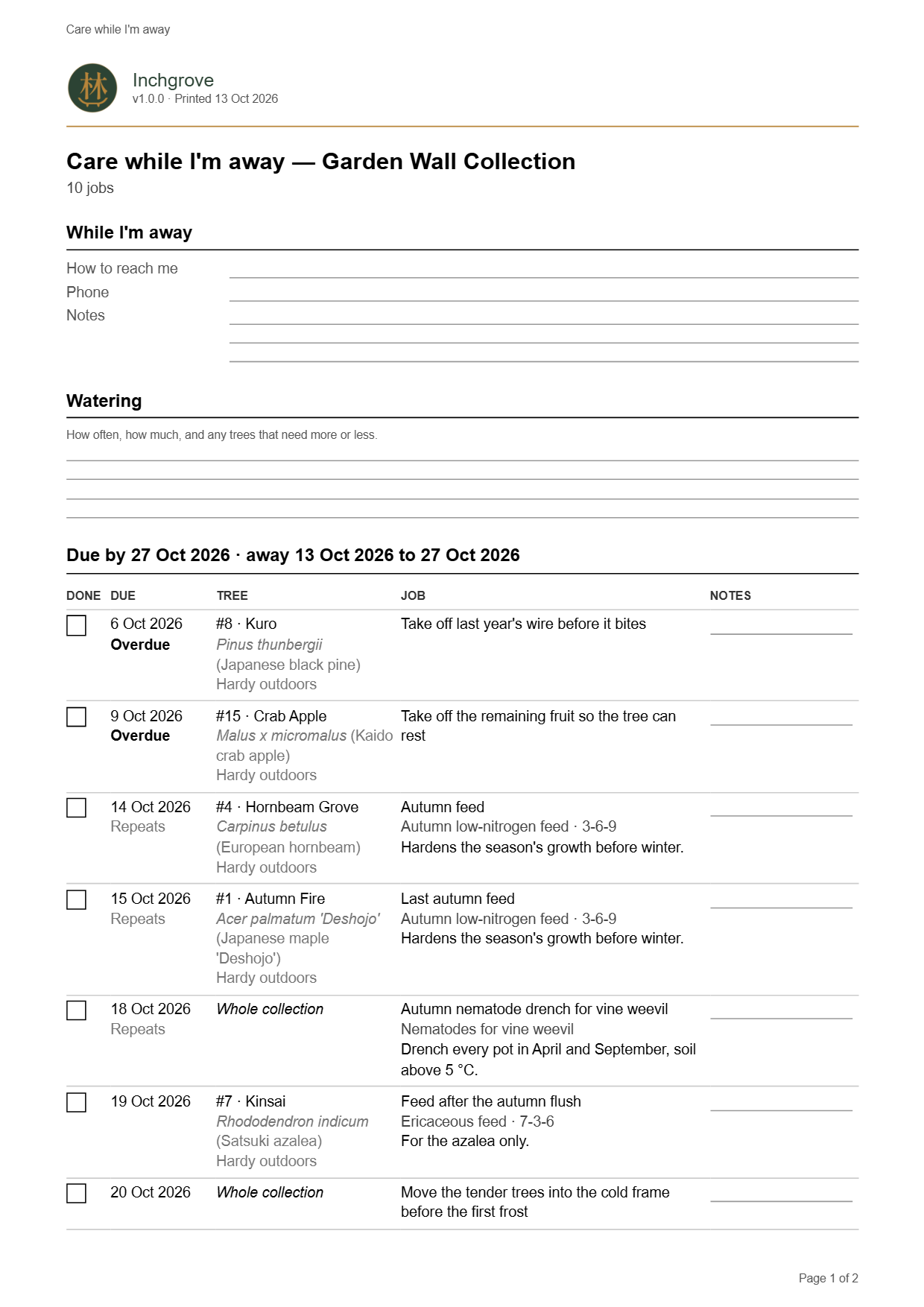
A second version is for whoever looks after the trees while you're away. It covers the dates you'll be gone and adds lines for your contact details and the watering, a notes column, each tree's winter needs under its name, and a table of the known hazards for every species in the collection. The sheet says plainly that a species not in that table has nothing recorded, and hasn't been checked safe.
Repot history and due list
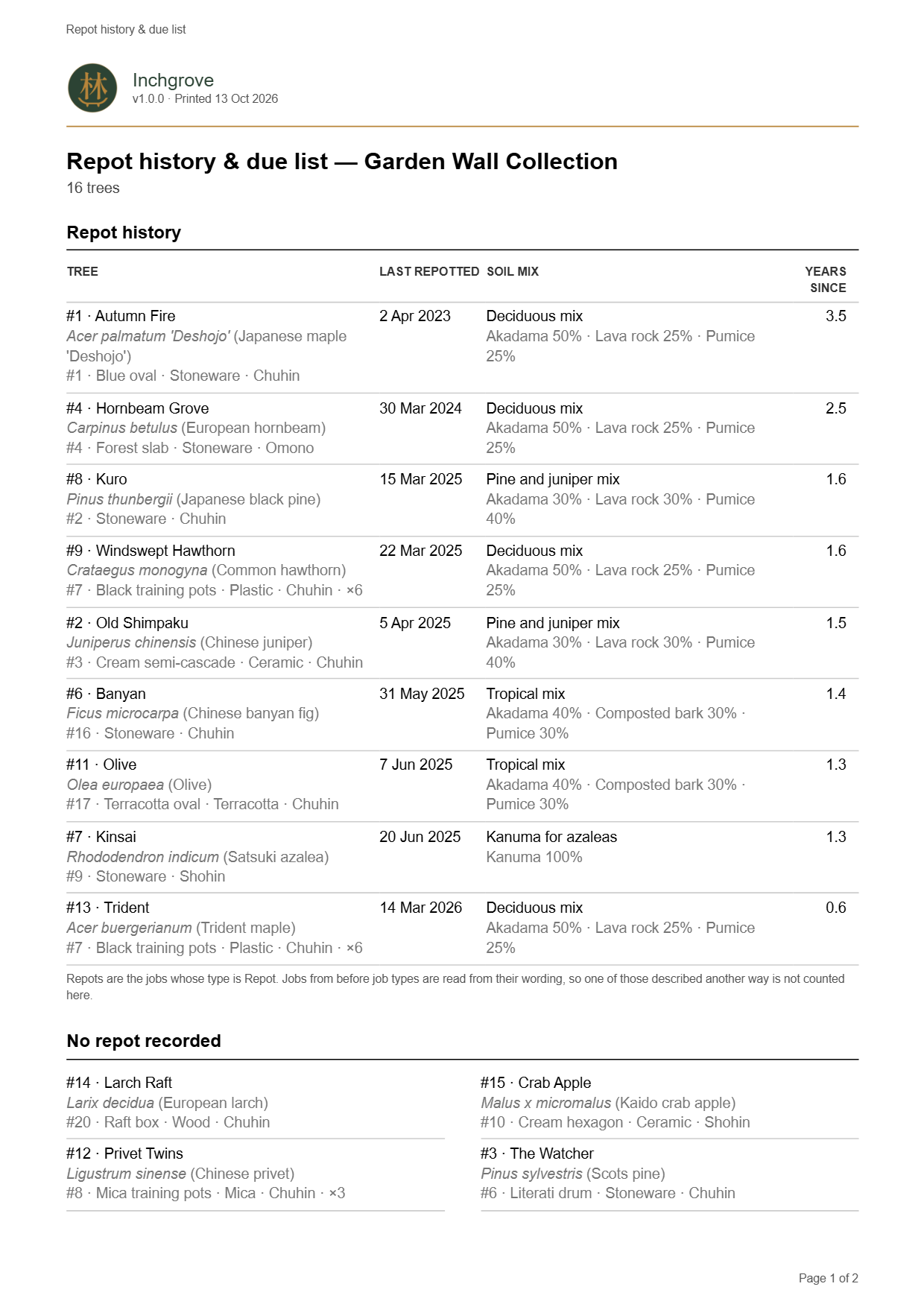
When each tree was last repotted, what went into the pot, how long ago that was, and what's planned. The report pieces this together from the repot jobs you've completed, each carrying its soil mix. No screen in the app lists them together, so this report is where you see which trees are overdue.
The history reads the mix as it was recorded at the time, and the plan reads the mix as it stands now. A plan should follow your edits to the recipe, but the record of what went into a pot shouldn't change afterwards. Set how far ahead the planned section looks. Overdue repots are always on it, first. The history always covers the whole collection.
Overwintering plan
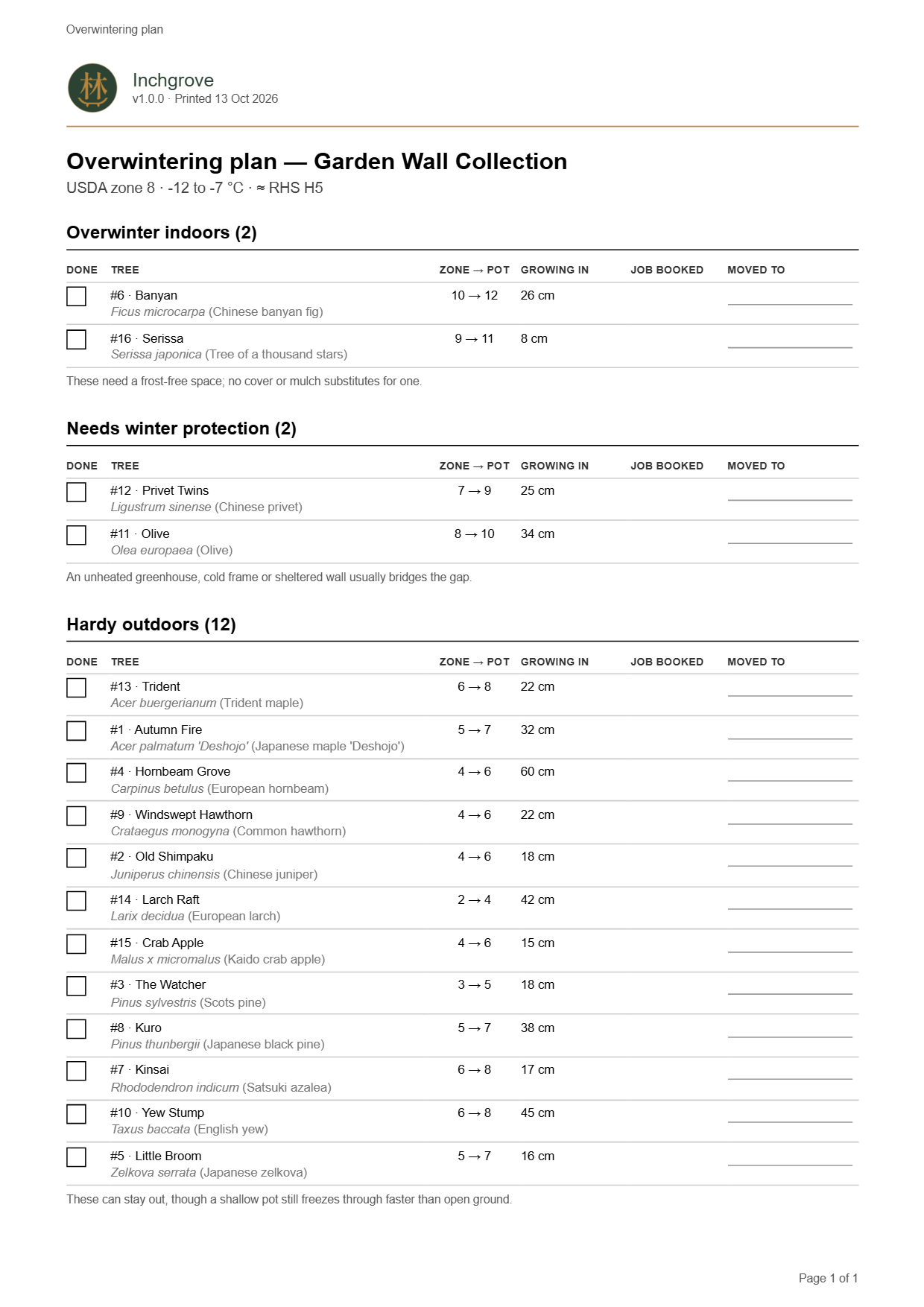
Every tree grouped by what it needs before the frosts, with a tick box beside each one and the most demanding first.
Trees whose reading can't be worked out are listed too. The sheet needs your collection's hardiness zone, and the app asks for it if it isn't set.
Records to update
The gaps the other sheets trip over, with a box to tick as you fill each one: trees with no recent photo or measurement, no acquired date or no stage, and pots never measured or photographed. Tick which checks you want. Style and size aren't checked, since plenty of trees in development have neither yet.
Paper and output
- Format
- PDF, saved where you choose, with the date in the file name
- After saving
- Open the file straight from the report screen
- Paper
- A4 or US Letter, defaulted from your region and changeable in the app
- Where
- Windows and Linux desktop app
Reports print from the desktop app. Your collection reaches the desktop through cloud sync or an exported backup (see Yours to keep).