Works offline
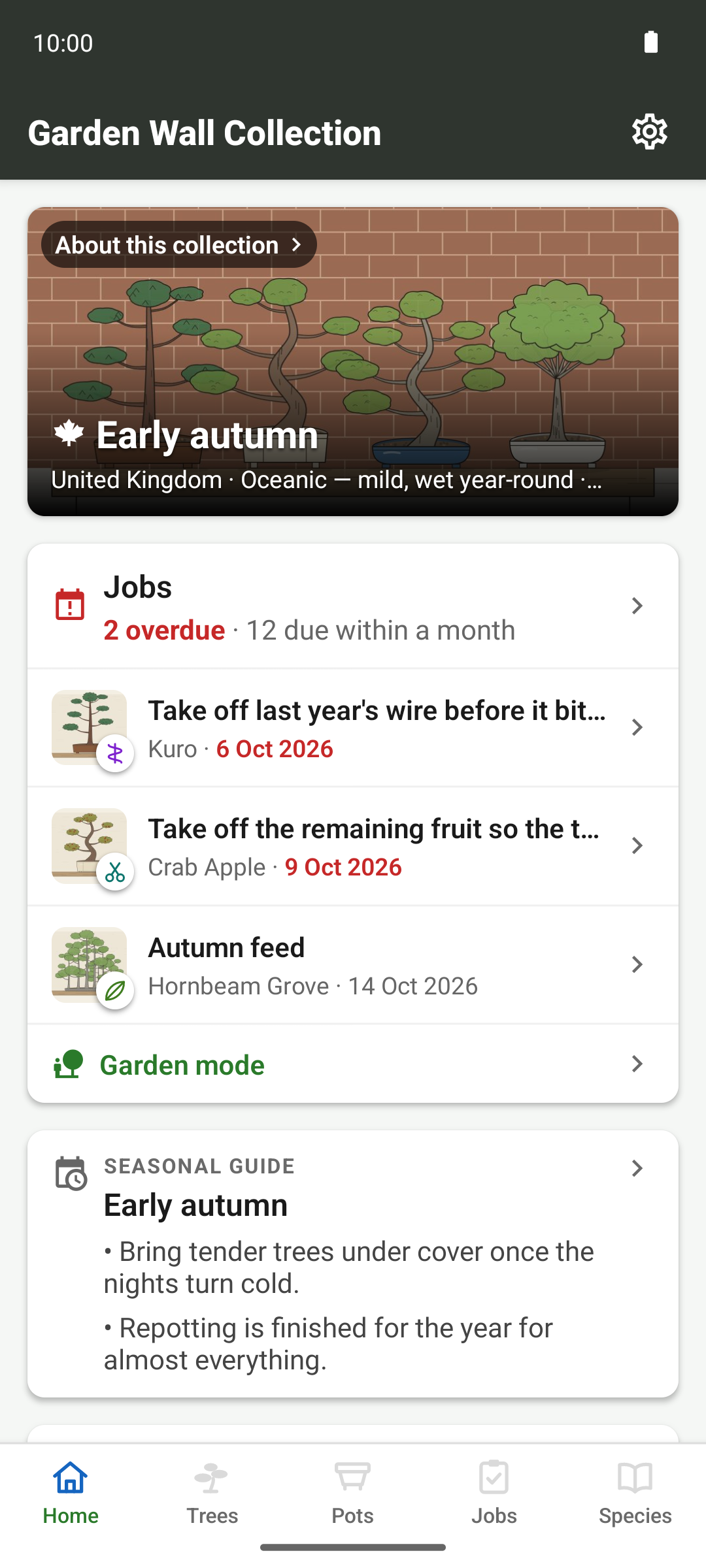
Your collection is stored in a database on your device, so the app needs no account and works with no signal.
Local first
The database on your device is the collection itself, rather than a cache of a copy held on a server. Nothing gets fetched to display a tree, and nothing sits queued waiting to be sent.
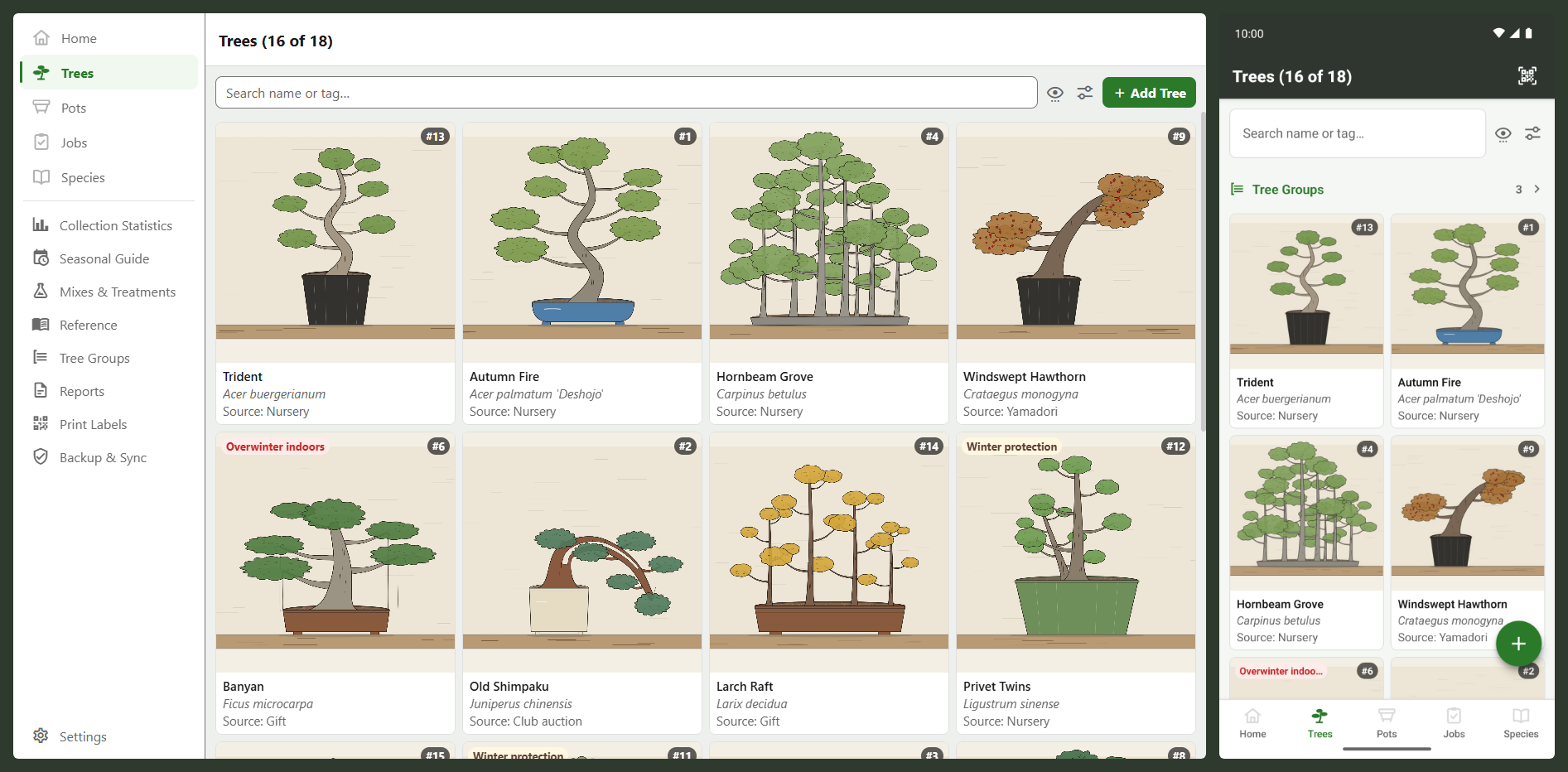
It's the same database on every platform. The phone, the tablet and the desktop app all read and write one schema, so your collection behaves identically wherever you open it.
- Account
- None. There's nothing to sign up for and nothing to sign in to
- Connection
- Not required, at any point, for any feature except cloud sync and frost warnings
- Storage
- A database and photo files on your own device
- Reminders
- Scheduled on the device; there is no push server
- Label scanning
- Reads an identifier and looks it up locally; contacts nothing
- Location
- Never read from the device. The seasonal guide asks for a country, and frost warnings, if you turn them on, for a town you pick from a search
What can leave the device
Three features, each off until you turn it on: cloud backup to your own Dropbox or OneDrive, anonymous crash reports, and frost warnings, which send the town you chose to a weather service. None of them sends anything about your trees except the backup, and that goes to your own account.
The Android package and the desktop builds from this site also look once a day for a newer release, since no app store updates them. The request carries nothing about you or your collection, and Settings turns it off. These builds carry no billing code at all.
The full detail is in the privacy policy.
Because everything is on the device, losing the device loses anything you haven't backed up. Uninstalling deletes the collection too. The app has an export function for this (see Yours to keep).
The same app on every device
The interface is organised identically everywhere, with five sections as tabs along the bottom of a phone and down the side of a desktop window. The only differences come from the hardware, so labels are scanned on the phone and printed on the desktop.
Yours to read in your own language
The app is translated into 8 languages (English, French, German, Spanish, Italian, Dutch, Portuguese and Japanese), and the species catalogue carries common names in all of them, so search finds a tree by its common name in your language.
Only the English text has been reviewed so far, and the app warns you of that when you pick another language. Please report a clumsy phrase, and especially a wrong care instruction.
Free, with nothing to unlock
Every version is free, with no limit on how many trees, pots, jobs or photos you keep, and no feature held back behind a purchase. That goes for the downloads from this site and for the Google Play and Microsoft Store versions planned for later. If the app helps with your trees, you can leave a tip from the About screen, but a tip buys nothing and changes nothing in the app. The download page has the detail.