
Photos and video
Every tree, pot and species keeps a dated photo history. You can draw on a photo to plan the next cut, and record short clips as you work.
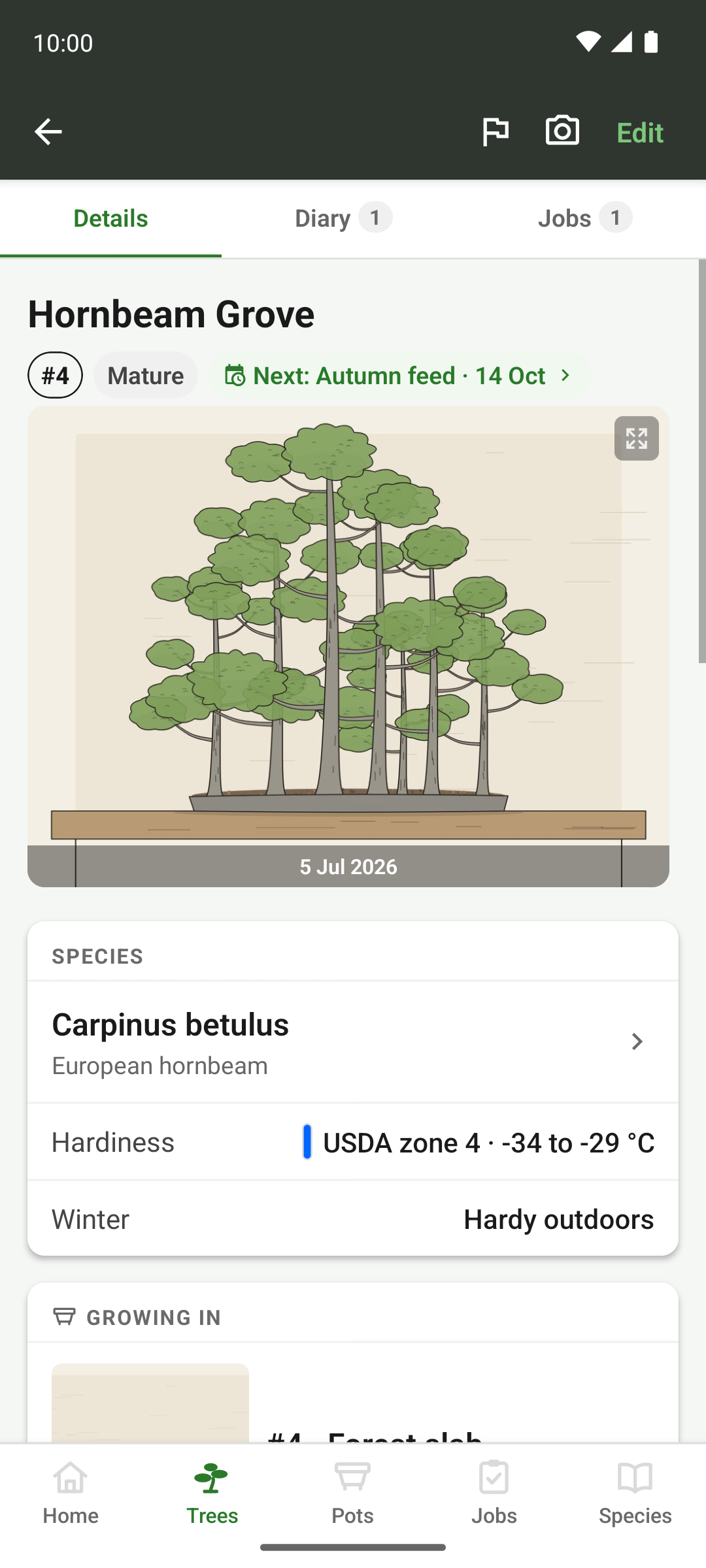
The hero image
Every tree, pot, species and the collection itself opens with a hero shot across the top of its page. Tap it for the lightbox. Videos show their poster frame in the hero.
Left alone, the hero is the newest shot, which is often a defoliated tree or a root ball halfway through a repot. Pin the photo that best shows the tree, and it stays there however many photos come after it. A pin raised on the phone shows up on the desktop too.
Under it sits the gallery, with every shot of that record in date order.
Galleries
Trees, pots, species and the collection each keep their own photos. A species photo is a reference shot of what the species should look like, and a collection photo might be the bench, the greenhouse, the show you took three trees to.
Photo statistics count what you have by year and by month, which also gives you a rough record of when you were out working.
Captions and tags
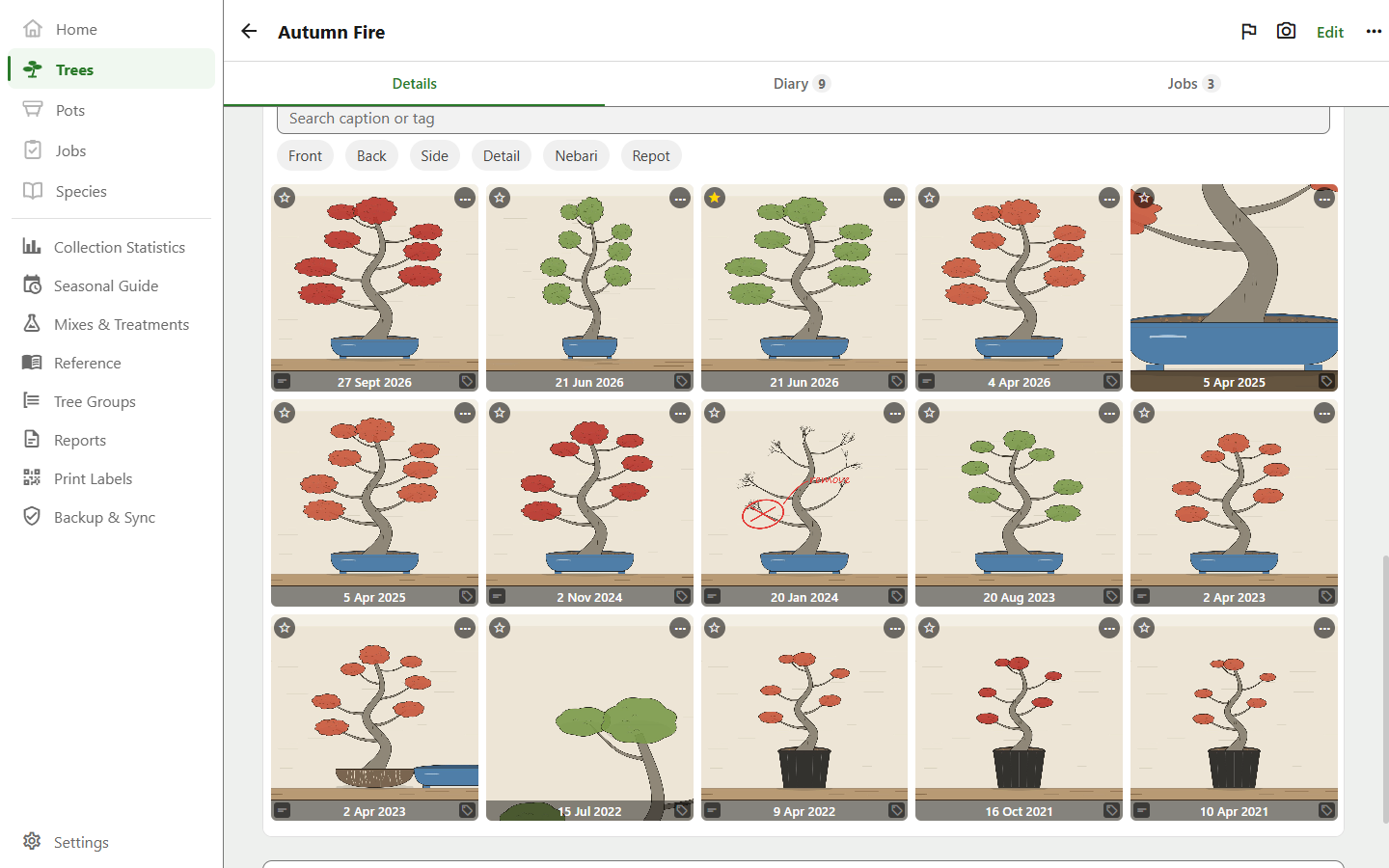
After a few years, finding one shot in a tree's gallery means a lot of scrolling. So a photo can carry a caption (one line, like “first styling after two years”) and a tag saying what kind of shot it is.
- Caption
- One line of your own, up to 200 characters
- Tag
- One per photo: Front, Back, Side, Detail, Nebari, Repot, or a tag of your own
- Finding them
- Search the captions and filter by tag, inside any gallery
- Syncing
- Both travel with the photo, to your other devices and into your exports
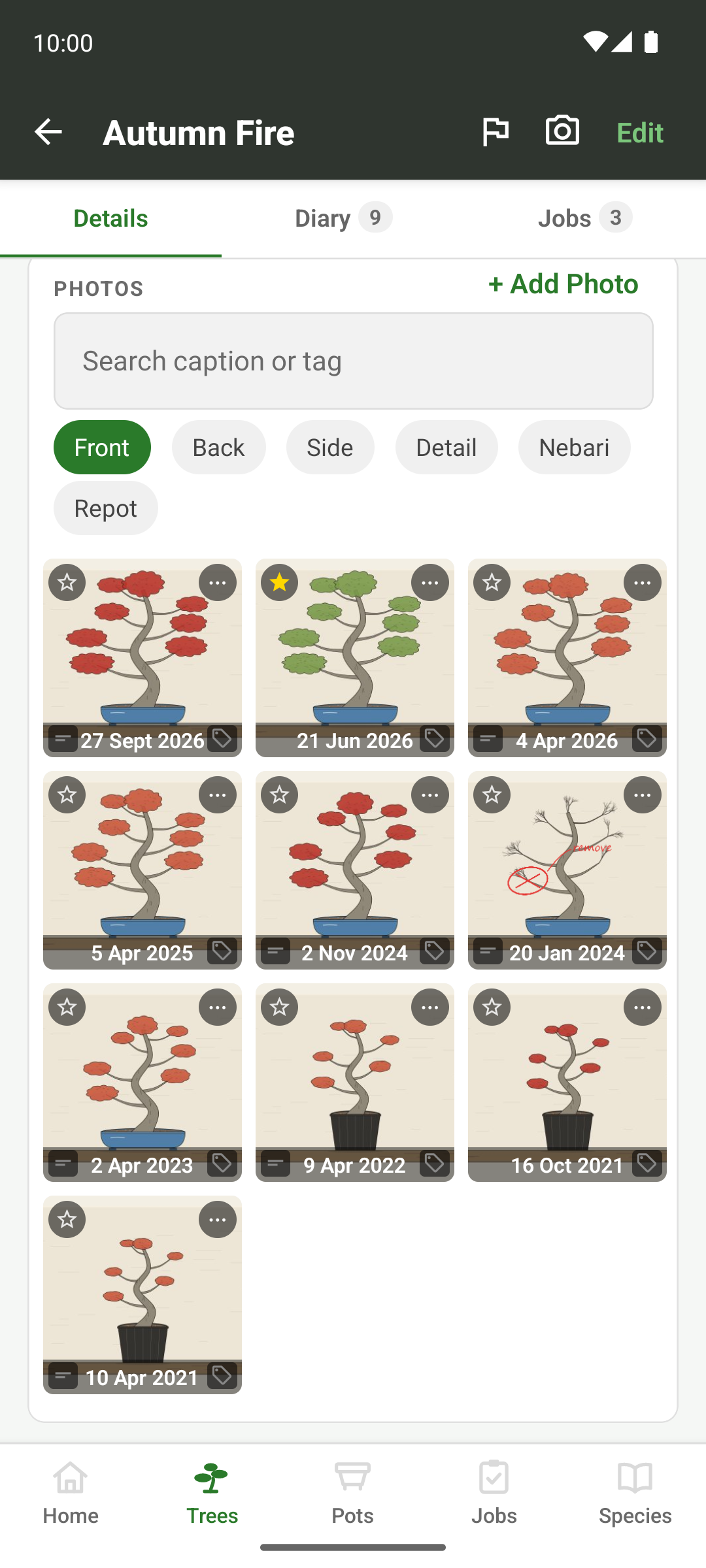
The search and tag chips appear once a gallery has more than three photos and at least one of them carries a caption or a tag. The chips only offer tags the gallery has, so you never pick one and get an empty grid. Tag every front view “Front”, for example, and one tap shows the tree's progression from the same angle.
Matching an earlier shot
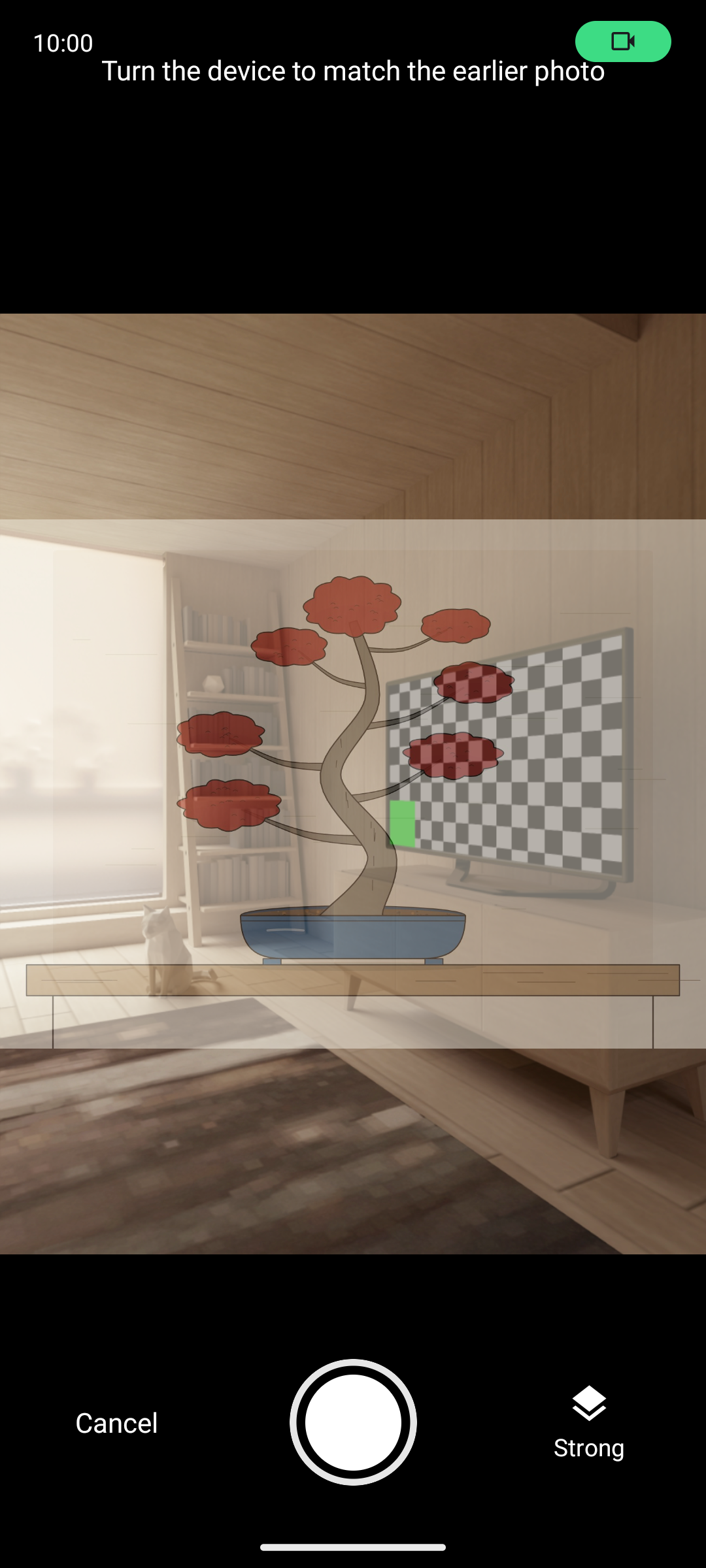
A progression only reads as one if every photo is taken from the same spot. Open an old photo, choose to match it, and the camera comes up with that photo laid see-through over the live view. Line the tree up with its old self, at whatever strength of overlay suits you, and take the shot. The new photo takes the old one's tag, so a “Front” series stays a “Front” series.
Matched shots use the app's own camera, framed exactly as the saved photo will be so the overlay lines up with what you keep. Every other photo still goes through the phone's camera, with its HDR, night mode and lens switching.
Matching a shot is on the phone and tablet app, and works with photos, not videos.
Annotations
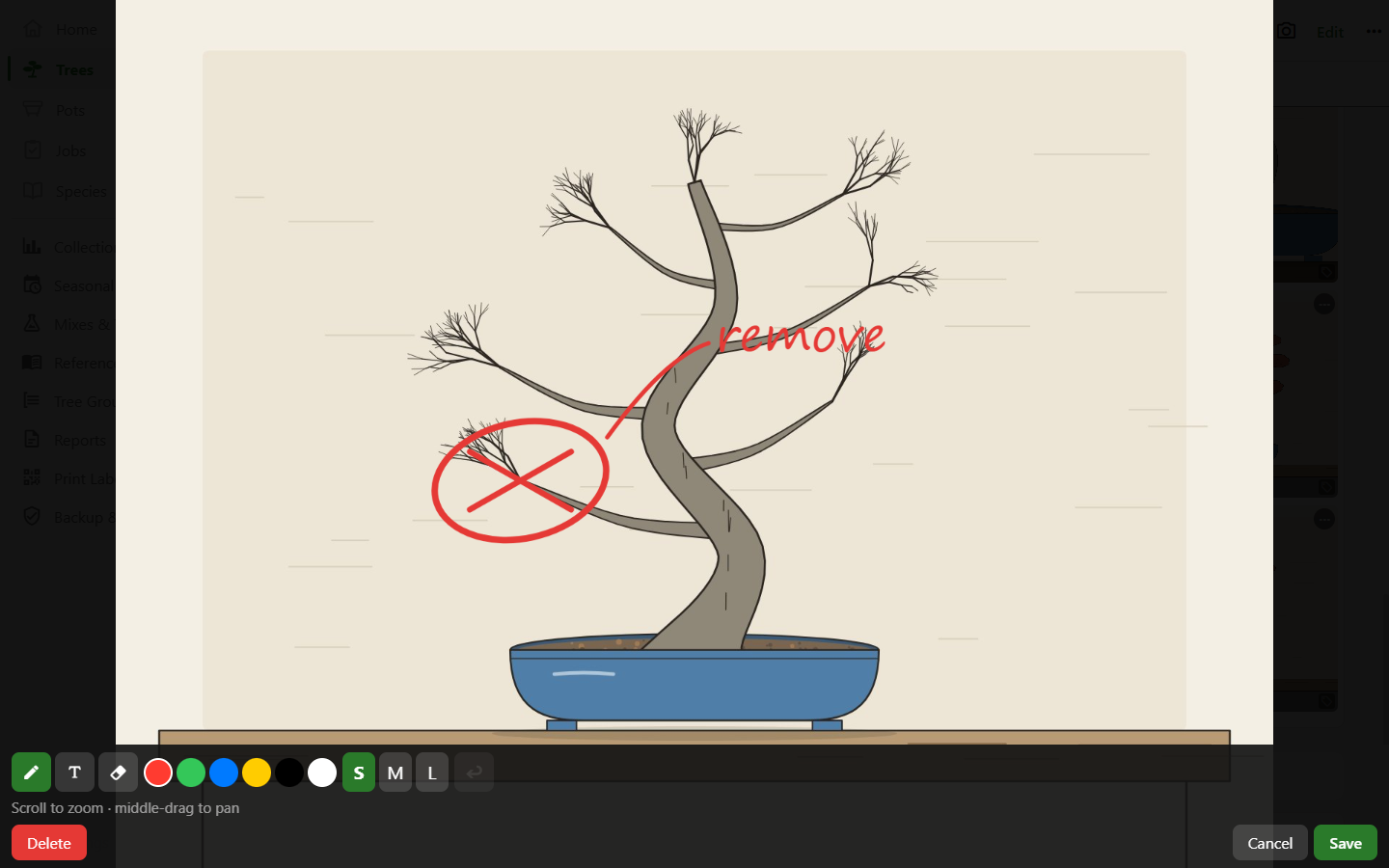
Draw right on a photo to plan the work, marking the branch to remove, sketching the new line or labelling the front. The canvas has a pen, an eraser and a text tool, six colours and three stroke widths.
The annotation is stored separately from the photo, which is never altered. You can delete a plan later and still have the picture, and a shot with a plan drawn on it still shows the tree as it was.
Video
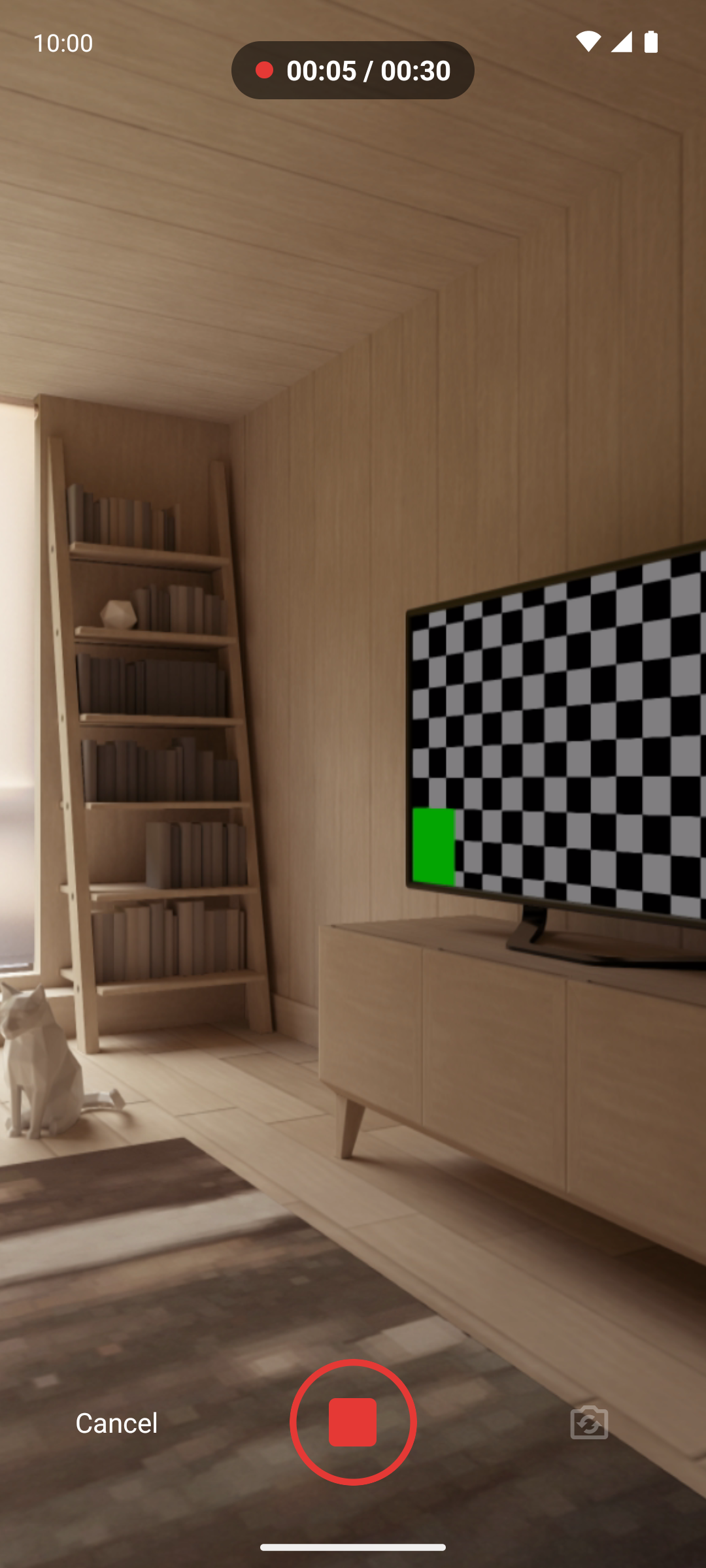
For what a still photo can't show, such as a walk around the tree, the way a branch moves when you flex it, or a wiring pass in progress, you can record a short clip. The app records it itself rather than handing off to the phone's camera app.
- Length
- Up to 30 seconds, enough for a full walk-around
- Quality
- Always 1080p, whatever the device's default
- Size
- Capped at 150 MB; a full-length clip lands around 40 MB
- Playback
- Clips recorded on a phone play in the desktop app
- In lists
- A still poster frame, generated when the clip is saved
Recording happens in-app so that the limits are enforced. Android passes a duration limit to the system camera only as a hint, and most manufacturers' camera apps ignore it and go on to record a four-minute 4K file that a backup then won't upload.
The lightbox
Open any shot full screen, pinch in to look closely at the nebari or the graft union, and swipe through the rest of that record's history. Video opens the same way, with a scrubber.
Where the photos go
Photos are stored as files on your device. They go into the archive export alongside your records, into cloud sync if you turn it on, and into the tree profile report as a dated grid of the same tree across the years.